AI Motion Transfer & Character Animation
AI Motion Transfer: Photo to Video
 Animation Guide
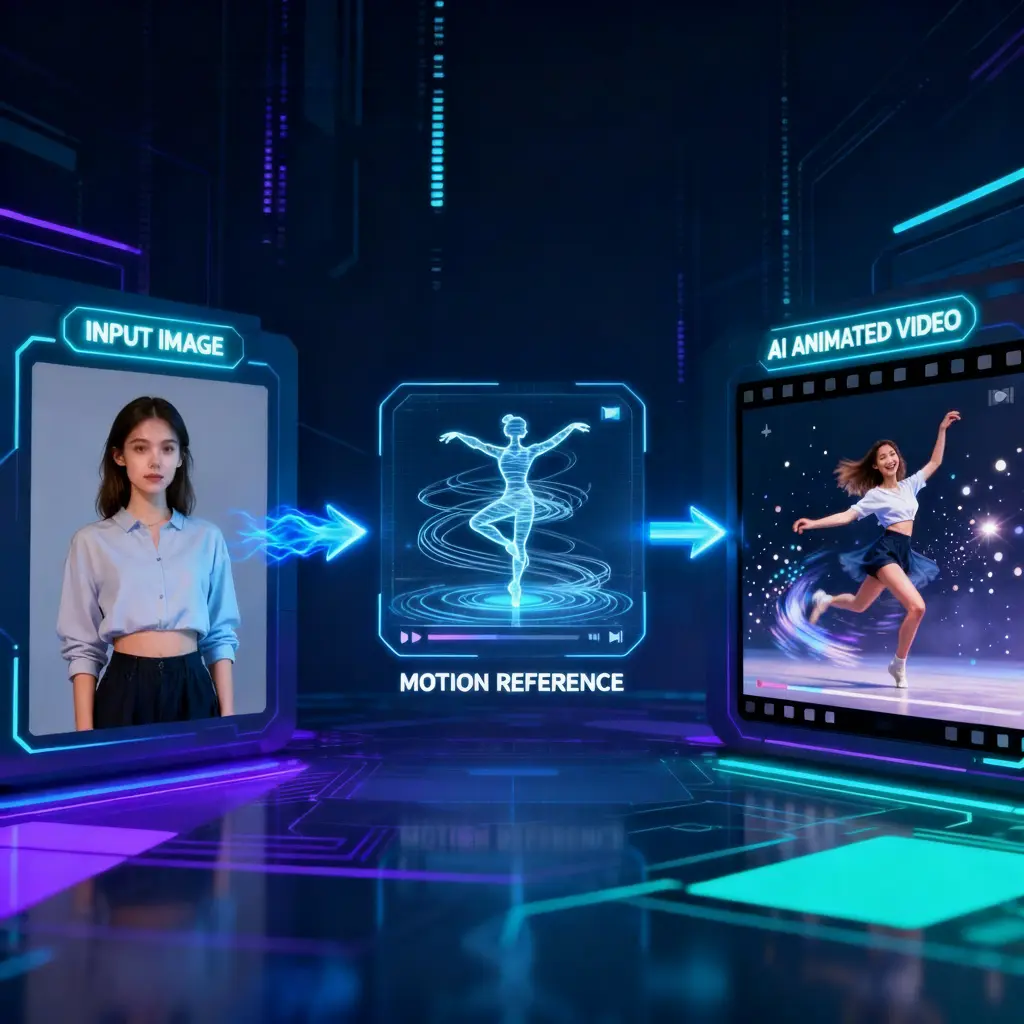
How to Use AI Motion Transfer
Upload Reference Video
Select Character Image
Customize Motion & Quality
Generate & Download
Core CapabilitiesWhy Choose ToolPlay AI Motion Transfer?
Full-Body & Facial Sync
Crystal Clear HD Quality
Turbo Speed Generation
Precision Motion Control
Flexible PricingAI Motion Transfer Cost & Credits
| Name & Role | Credits |
|---|---|
Standard 480p 6 credits / second | 6 |
Balanced 580p 9 credits / second | 9 |
HD 720p 12 credits / second | 12 |
Common QueriesFrequently Asked Questions about AI Motion Transfer
What is AI Motion Transfer?
AI Motion Transfer is a video-to-video technology that takes the movement and expressions from a reference video and applies them to a static character image. It allows you to make any photo dance, act, or speak with high fidelity.
Can it replicate facial expressions?
Yes! Unlike basic motion tools, our Wan-2.2 based engine is designed to capture detailed facial nuances, including lip movements and eye expressions, ensuring your animated character looks alive and realistic.
What kind of reference video works best?
For the best results, use a reference video with clear, unobstructed body movements and good lighting. The AI works best when the subject in the video is clearly distinguishable from the background.
What does 'Turbo Mode' do?
Turbo Mode accelerates the generation process, delivering your video significantly faster. It automatically optimizes inference steps, making it perfect for rapid prototyping or when you need quick results without major quality loss.
How much does it cost to generate a video?
Pricing is transparent and based on resolution and duration. It ranges from 6 credits/second for Standard (480p) up to 12 credits/second for HD (720p). You only pay for the exact length of the video you generate.
Can I use the generated videos commercially?
Yes, you own the commercial rights to the videos you create on ToolPlay, provided you have the necessary rights to the original input image and reference video used.
More AI Video Tools